
Captain's Brief · Cook Hub · 14 min read · Oct 3, 2026
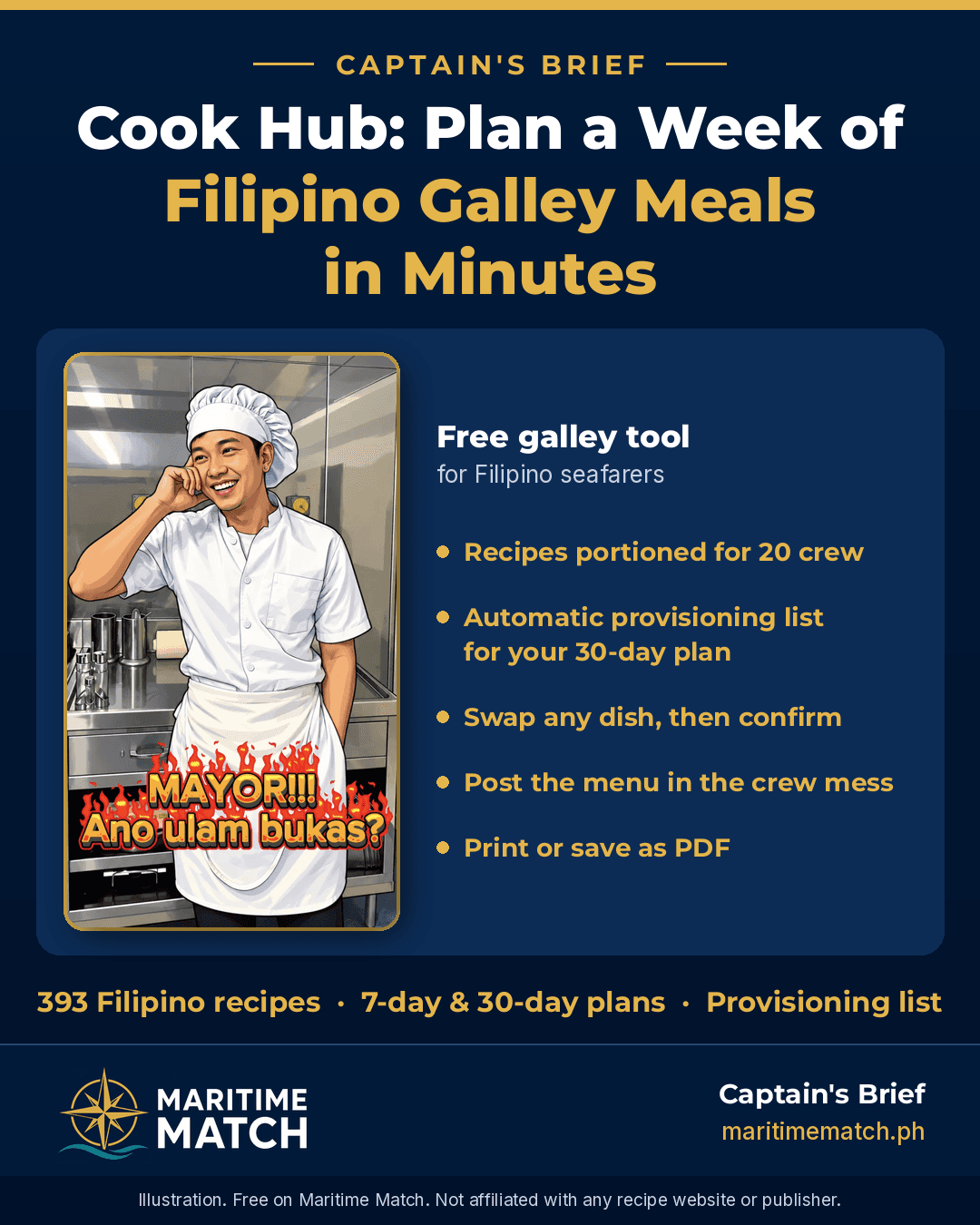
Cook Hub: Plan a Week of Filipino Galley Meals in Minutes

Cook, ano ulam bukas?
Every chief cook knows the question. It comes from the bridge, from the engine room, from the mess: "Cook, ano ulam bukas?" Cook Hub is the answer. It is a free galley tool on Maritime Match that helps you plan Filipino meals for the crew, find dishes for what is already in your stores, and keep the whole plan in one place.
Quick answer: Cook Hub is free at maritimematch.ph/cook-hub. It has 393 Filipino recipes, each written for 20 crew, sorted into Breakfast, Lunch, Dinner, Desserts and Other Menu. With one tap you can create a 7-day or 30-day meal plan, swap any dish you don't like, and confirm it. Then you can turn your plan into one stores list grouped by buying category, check it against your stores, and print it or save it as a PDF. You can also type an ingredient (like chicken or egg) to see every dish that uses it. It's built to help cooks plan, help messmen and stewards train for chief cook, and serve as a galley reference onboard. Guests can try everything. A free seafarer account removes the limits.
Why I built Cook Hub
On many ships I've sailed, a weekly menu plan isn't something the company asks for. But for the cook, it matters a lot. A good plan means fewer last-minute decisions, more variety for the crew, and better meals after a long watch. As I wrote on the Maritime Match About page, Cook Hub is "Filipino galley menus, meal plans, and provisioning reference for the chief cook and galley team. Built for the mess, not for a food blog."
I built Cook Hub for three reasons:
- To help the cook plan. In a few taps you can create a 7-day meal plan, adjust it, and post it in the crew mess so everyone knows what's coming. Choose a 30-day plan and Cook Hub also gives you a list of items to order. It's still an estimate, but it's a solid best estimate to start your requisition from.
- To help future chief cooks. Many stewards and messmen dream of running their own galley someday. Every Cook Hub recipe is already portioned for 20 crew, so you can learn how to cook and plan at galley scale, not family scale.
- To be a reference onboard. 393 Filipino recipes with steps, serving notes and galley tips, one tap away whenever you need an idea or a reminder.
When I planned Cook Hub, I set a few firm rules:
- Filipino food only. These are the dishes our Filipino crews know and ask for, like adobo, sinigang, tapsilog, arroz caldo and kakanin.
- Sized for the galley, not for a family kitchen. Every recipe is a planning baseline for 20 crew, so you don't have to multiply a home recipe for four people.
- Simple flow. Create, review, swap if needed, confirm, list your stores, print.
- Free for seafarers.
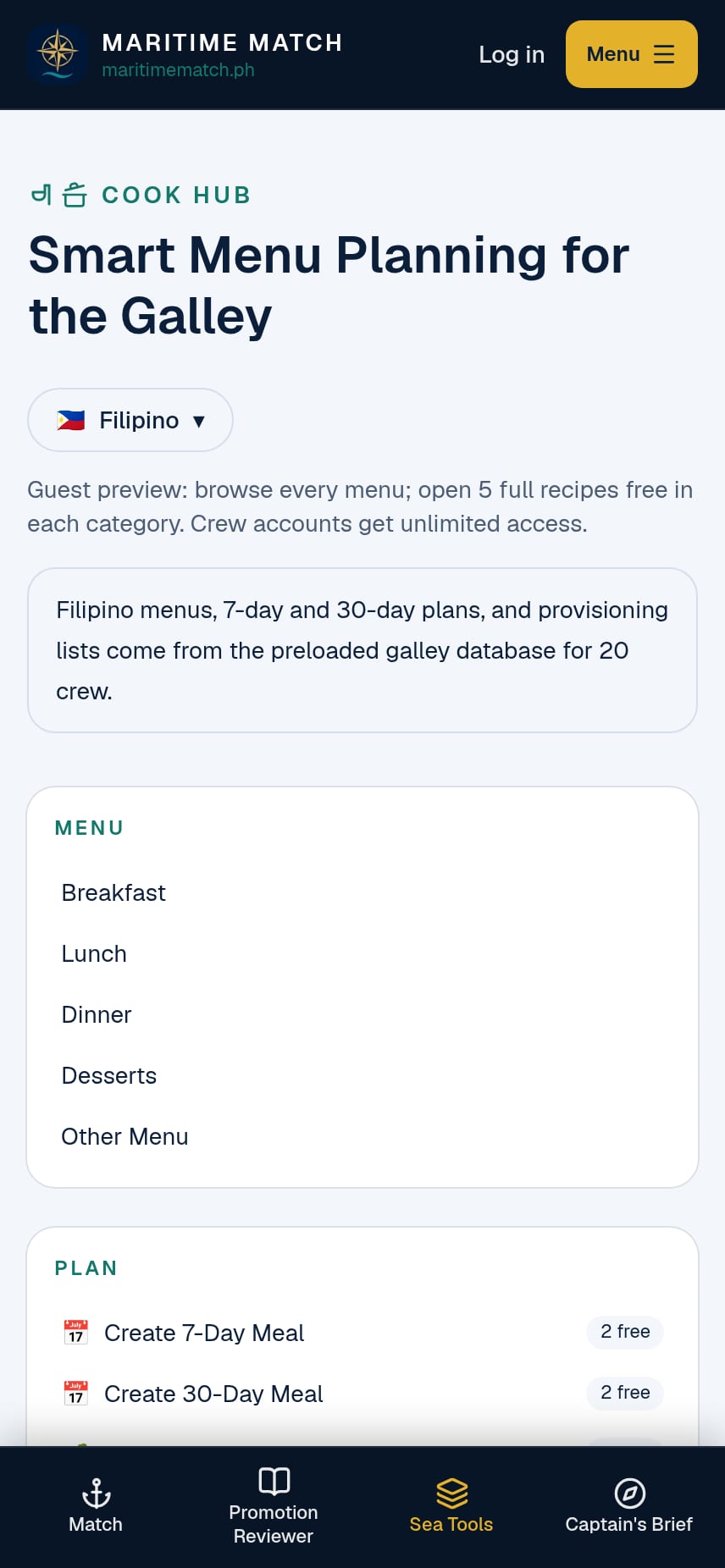
The Cook Hub home screen: Menu, Plan and My Cook Hub in one place.
How to use Cook Hub, step by step
1. Browse the menu library and open a recipe
Open maritimematch.ph/cook-hub and choose a category: Breakfast, Lunch, Dinner, Desserts or Other Menu (merienda, sides and sawsawan). Each list shows every dish in that category, A to Z.
Tap a dish to open its recipe page. You'll see:
- a photo of the dish
- a short description
- the ingredients with quantities for 20 crew
- numbered cooking steps
- serving notes (for example, what to put out at the serving line)
- galley notes: practical tips for cooking in bulk and holding food until service
Every quantity is a planning baseline for 20 people. Adjust it to your own crew, your stores and your taste. You know your galley best.
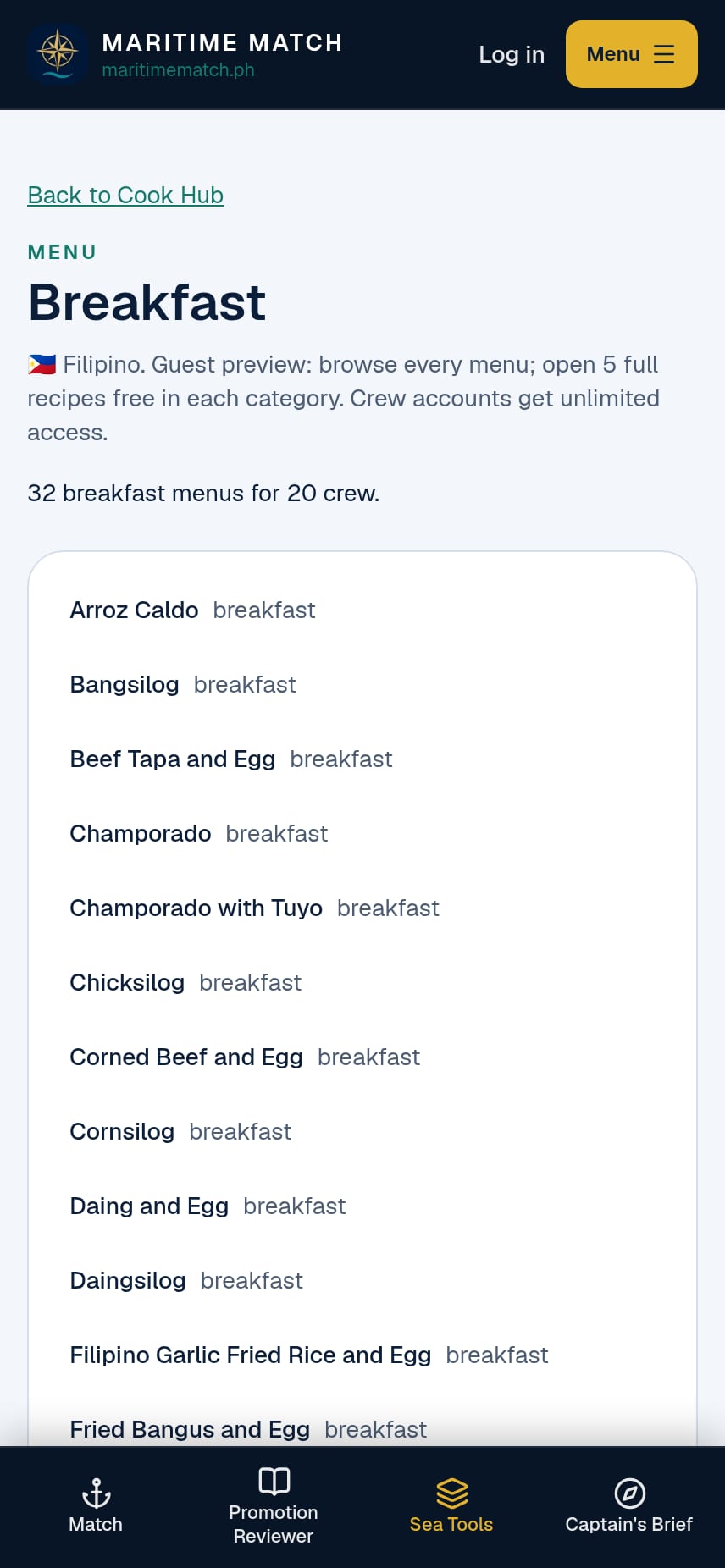
The Breakfast list: every dish is visible, and each name opens the full recipe.
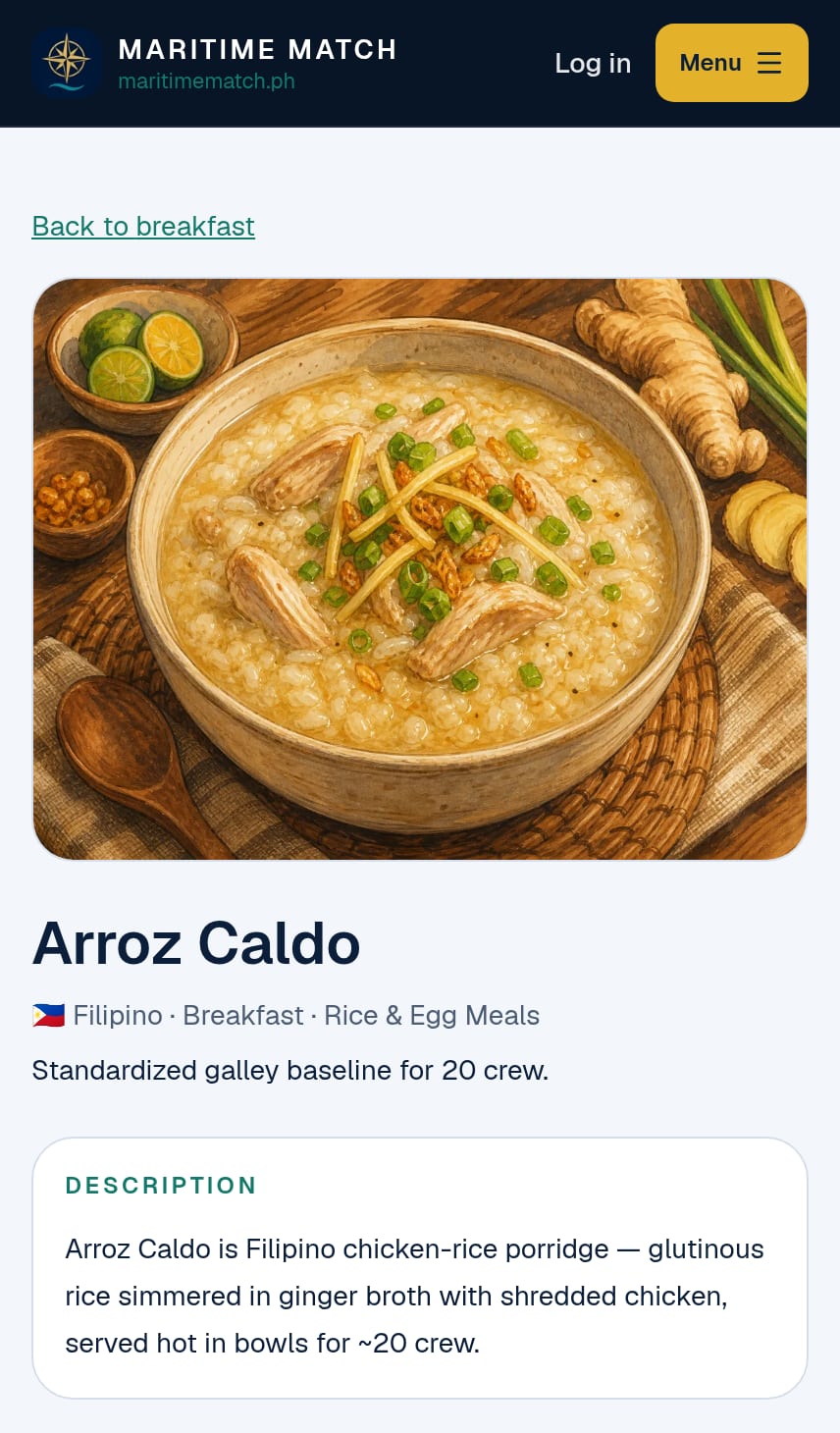
Every recipe page is written for a ship's galley, not a home kitchen.
2. Search for a dish
Use Search Menu to find a dish by name or by ingredient. Type adobo to see every adobo in the database, from adobong pusit to adobong kangkong. Search is free for everyone, with no limit.
3. Create a 7-day meal plan
Go to Plan → Create 7-Day Meal and tap the button. Cook Hub fills seven days with breakfast, lunch and dinner (21 meals) from the recipe database, sized for 20 crew. There are no forms to fill in.
Then make it yours:
- Review each day.
- Tap Replace on any meal you want to change. A searchable list of dishes for that meal opens, so you can pick something your crew prefers or something that fits your stores.
- When you are happy, tap Confirm 7-Day Plan.
Once confirmed, you can open the stores list for that plan or print the menu. Many cooks post the week's menu in the crew mess, so everyone knows what's coming and the questions about tomorrow's ulam stop.
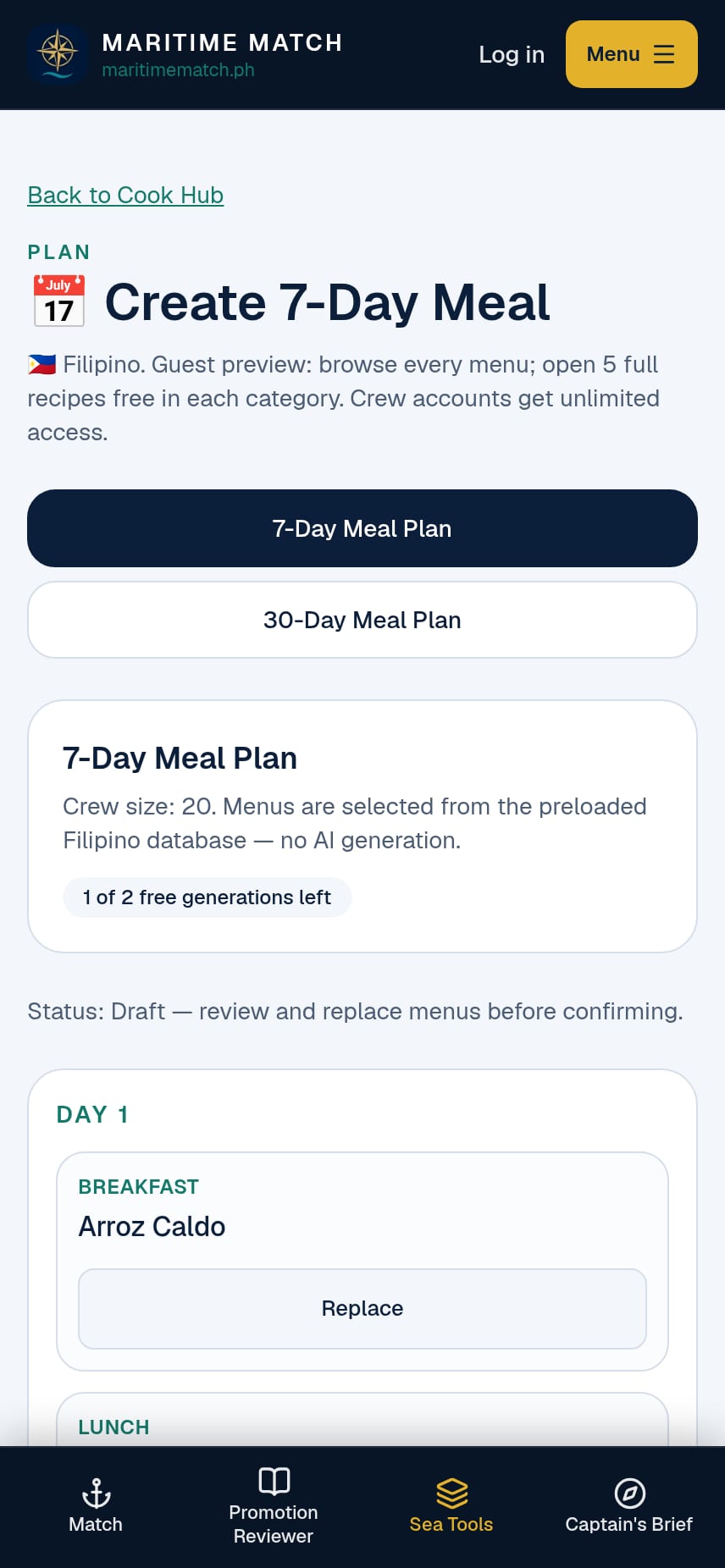
A 7-day draft. Every meal has a Replace button, so you can change it before you confirm.
4. Create a 30-day meal plan
For a full month, use Create 30-Day Meal. It works the same way: Cook Hub fills 30 days (90 meals), you swap any dish with Replace, and then Confirm 30-Day Plan. A month-long plan helps you think ahead to your next provisioning order.
5. Create a menu from what you have (Menu by Product)
The freezer is full of chicken again? Go to Plan → Create Menu by Product, type an ingredient (for example chicken, egg or garlic), and tap Find menus. Cook Hub lists every dish in the database that uses it, across breakfast, lunch, dinner and more. Tap any dish to open its recipe.
It's a quick way to cook something different from the same stores, and to answer "chicken na naman?" with a new dish.
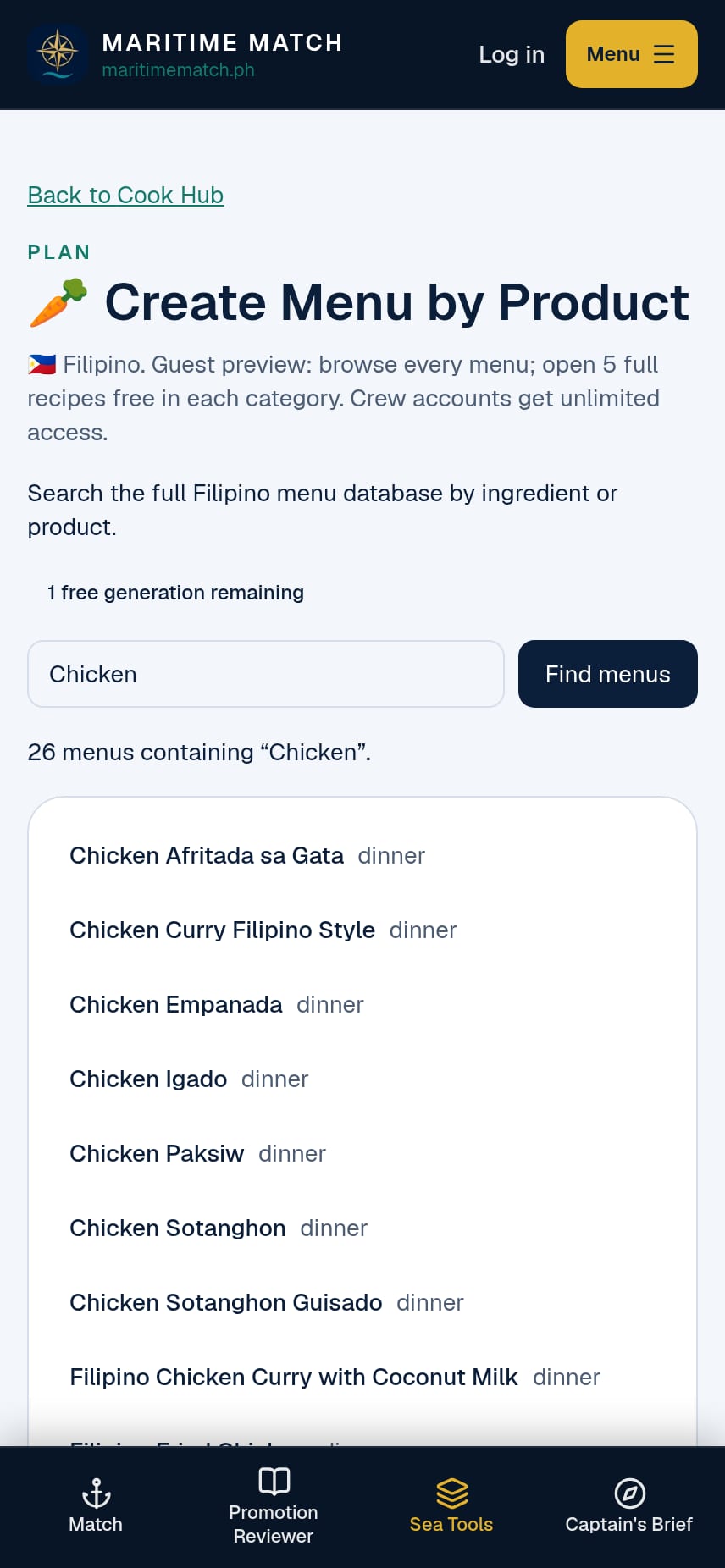
Type one ingredient and see every dish that uses it.
6. Turn your plan into one stores list (Provisioning List)
Planning the menu is half the job. The other half is knowing what to order. The Provisioning List turns your confirmed meal plan into one stores list, sorted the way you buy.
How to use it:
- Confirm a plan first. Create a 7-day or 30-day meal plan, swap any dishes, and tap Confirm. The list is built only from confirmed meals.
- Open My Cook Hub → Provisioning List.
- Pick 7-Day list or 30-Day list with the toggle at the top. Each one follows your latest confirmed plan of that length. The header shows the plan length and the crew size (20).
- Read the list by buying category. Cook Hub merges the same ingredient across every meal into one line, so chicken appears once, not once per dish. Lines are grouped into 12 categories: Meat/Poultry, Fish/Seafood, Vegetables, Fruit, Rice/Grains/Noodles, Canned/Dry Goods, Dairy/Eggs, Sauces/Condiments, Spices/Seasonings, Cooking Oil, Beverages and Other.
- Units stay as they are used in the galley. Cook Hub never adds different units together. Garlic is counted in cloves, meat and rice by weight, eggs by the piece, sauces by volume. If one item is used in two different units across your plan, both amounts are shown side by side.
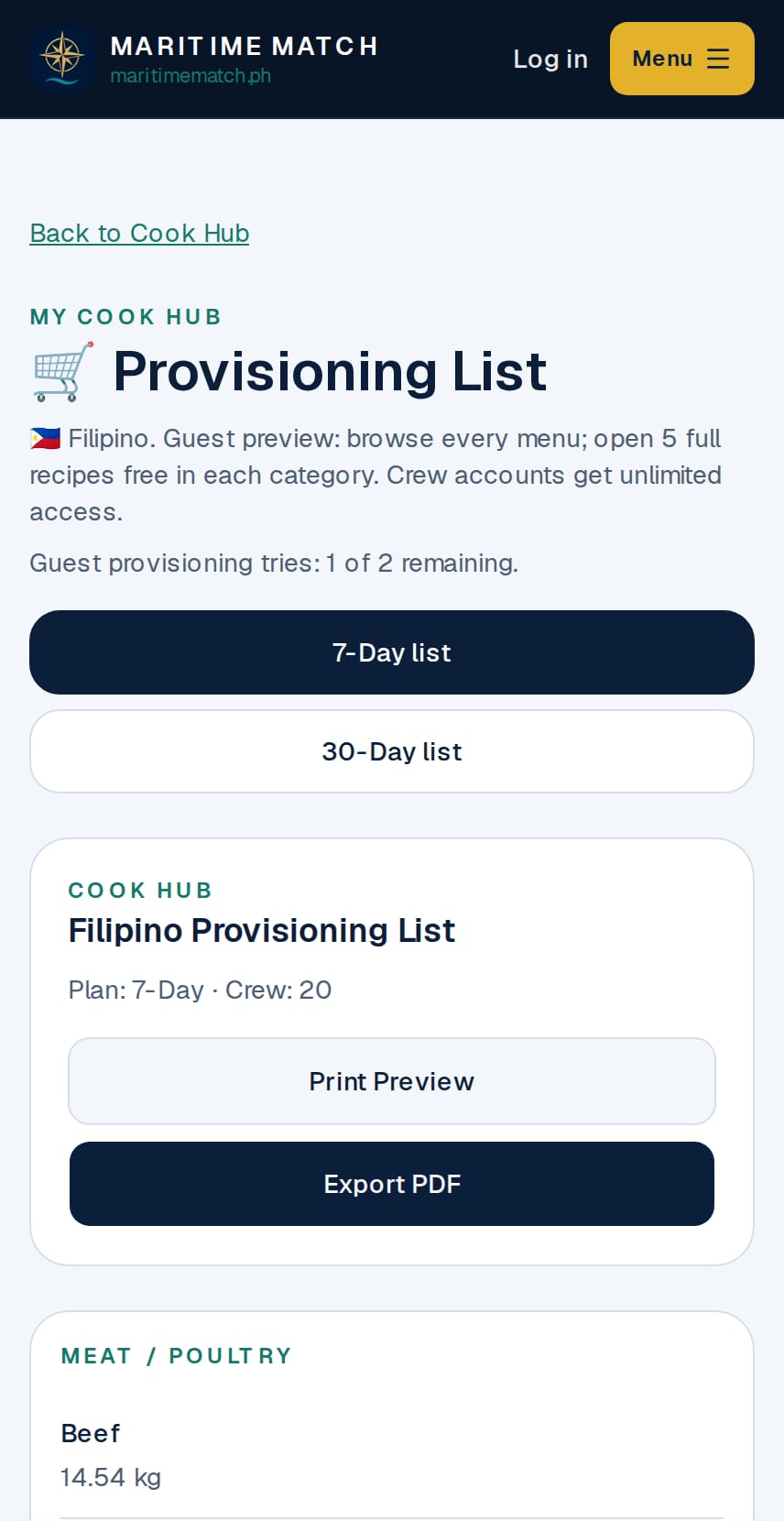
Pick the 7-Day or 30-Day list. Items are grouped by buying category, each in its own unit.
What "Quantity pending" means. Below the main list is a section called Quantity pending. Cook Hub only adds an ingredient to the totals when its galley quantity has been checked. Ingredients still waiting for that check are not guessed. Instead they are listed in Quantity pending, with the day, the meal and the dish that needs them (for example, "Day 5 · lunch · Batangas Kaldereta").
For you as the cook, this means two things:
- The main list is not the whole order yet. Open the recipe for each pending dish, work out the amount for your crew, and add it to your requisition yourself.
- Nothing is hidden. Every ingredient in your plan appears either in the main list or in Quantity pending, so you can see exactly what still needs your judgement. We add checked quantities over time, so this section gets shorter.
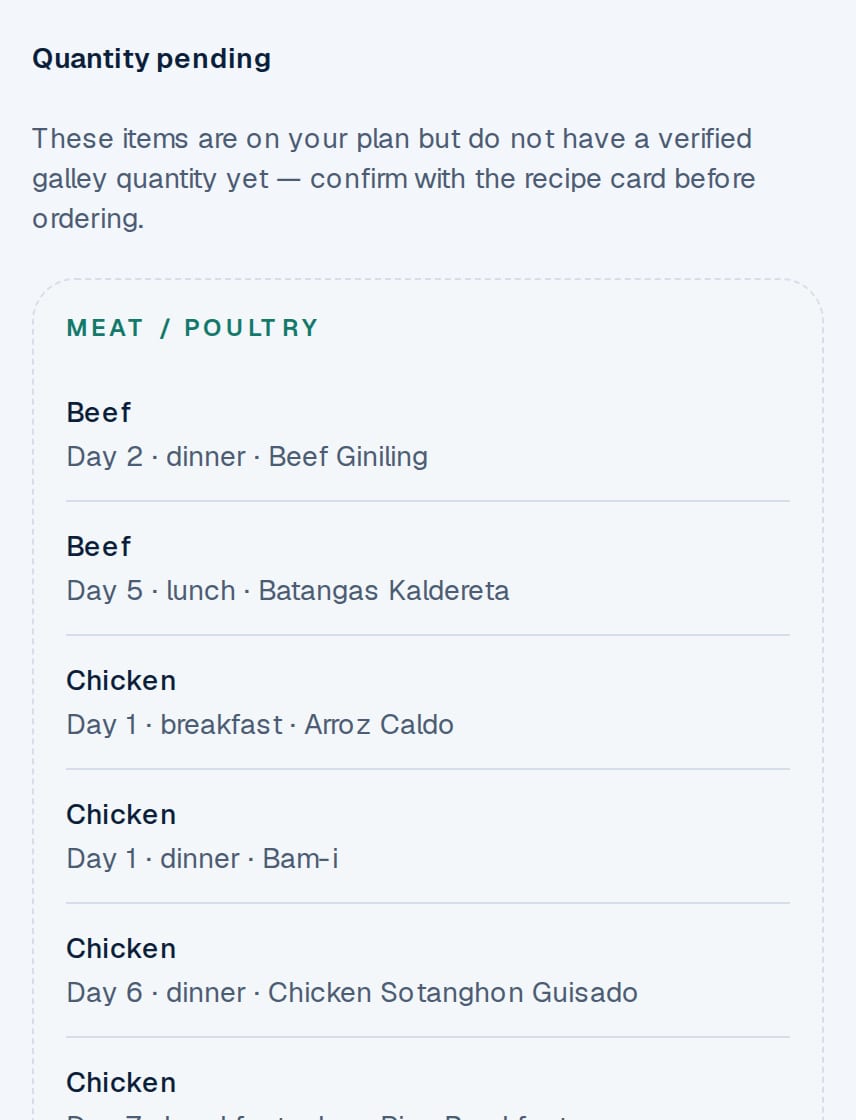
Quantity pending lists each ingredient that still needs your own amount, with the dish it is for.
Before you order, always compare the list with what is already in your dry store, chiller and freezer, and with your ship's requisition form, budget and company provisioning rules. Then adjust for your real crew count, port calls and voyage length. Think of the list as a best estimate, not a final order. For a full month, a confirmed 30-day plan gives you the most useful list to start your requisition from. You and your Master or Chief Steward make the final order.
When the list is ready, tap Print Preview or Export PDF (see the next step).
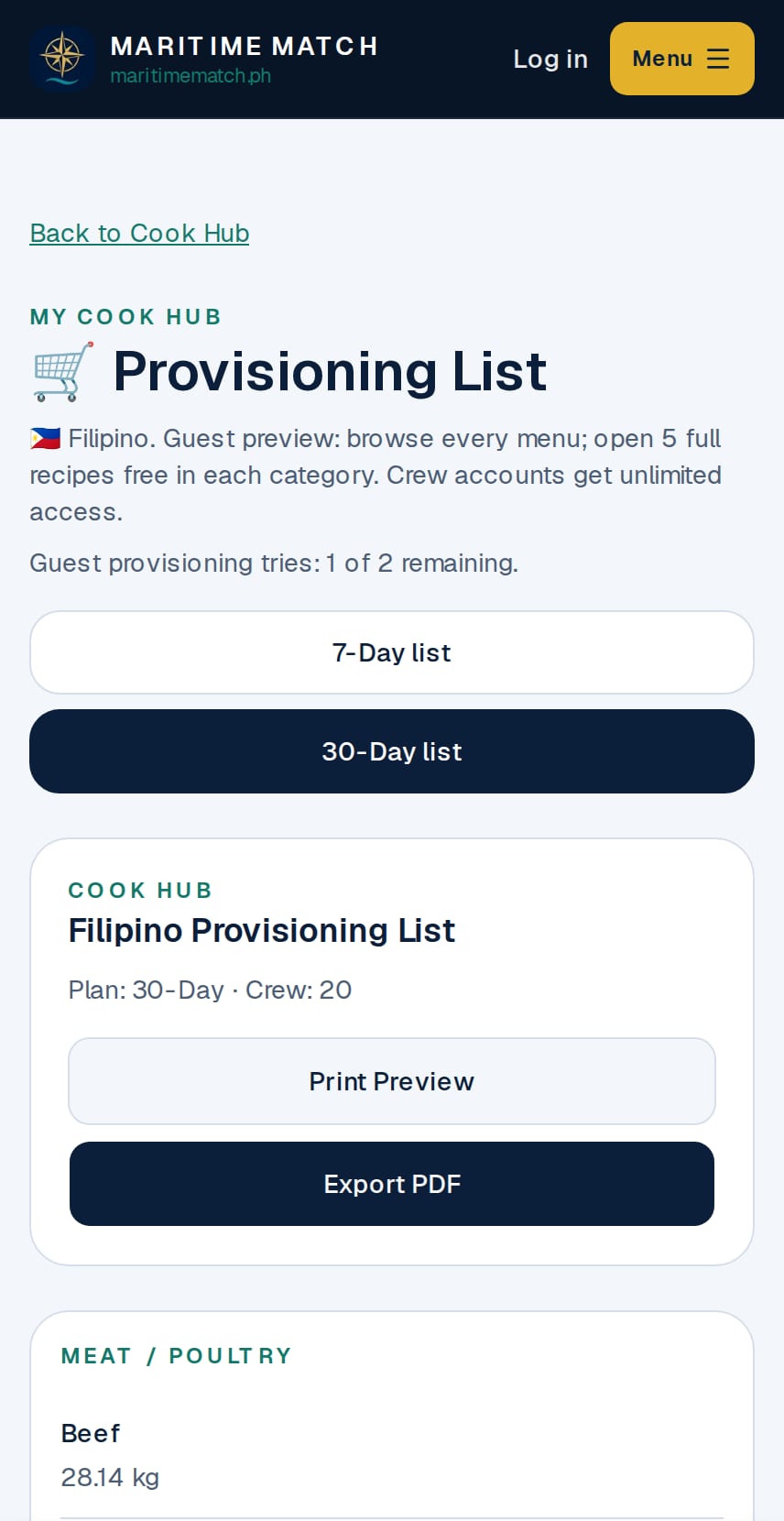
The same list for a confirmed 30-day plan. Switch with one tap.
7. Print or save as PDF
On a confirmed plan or on your Provisioning List (7-day or 30-day), tap Print Preview to see a clean printable page, or Export PDF to save it with your phone's or computer's print-to-PDF option. Post the week's menu on the mess board, or keep a copy for the Master or Chief Steward.
8. Add your own recipe
Every cook has a specialty, like a regional dish or a recipe from home. Sign in with your free seafarer account and open My Cook Hub → Add Your Own Recipe. Enter:
- the recipe name
- the meal type (Breakfast, Lunch, Dinner, Desserts or Other Menu)
- notes
- the ingredients for 20 crew, with a category, quantity and unit for each
Your recipe is private to you. It appears in My Menu and in your own category lists and meal plans.
What's free for guests, and what a free account adds
| Guest (not signed in) | Signed-in seafarer (free account) | |
|---|---|---|
| Browse all menu lists | ✅ All 393 dishes visible | ✅ |
| Full recipes (ingredients and steps) | 5 recipes free in each category | ✅ Unlimited |
| Search Menu | ✅ | ✅ |
| Create 7-Day Meal | 2 free tries | ✅ Unlimited |
| Create 30-Day Meal | 2 free tries | ✅ Unlimited |
| Create Menu by Product | 2 free tries | ✅ Unlimited |
| Provisioning List | 2 free tries | ✅ Unlimited |
| Add Your Own Recipe / My Menu | Sign in required | ✅ |
| Cost | Free | Free. No seafarer fees |
A free seafarer profile on Maritime Match removes every limit.
Frequently asked questions
Is Cook Hub really free? Yes. Cook Hub is free on Maritime Match. Guests can try every feature. A free seafarer account removes the limits. Seafarers never pay fees on Maritime Match.
My crew isn't 20. Can I still use it? Yes. Every recipe is a planning baseline for 20 crew. For 15 or 25 people, use the quantities as your guide and adjust them for your crew.
Will everyone get the same meal plan? Every plan starts from the same Filipino recipe database, and then you make it yours. Tap Replace on any meal to swap in a dish that suits your crew and your stores before you confirm.
Can I use Cook Hub on my phone? Yes. Cook Hub is built for phones first. Open maritimematch.ph/cook-hub in your browser. You'll need a connection, so print or save your plan as a PDF while you have signal.
Why are some ingredients under "Quantity pending"? Cook Hub counts an ingredient in the totals only after its galley quantity has been checked. Until then it is listed under Quantity pending, with the dish that uses it, so you can add the right amount for your crew. Nothing is guessed, and nothing is left out.
I'm a messman. Can Cook Hub help me train for chief cook? Yes. That's one of the reasons Cook Hub was built. Every recipe is already portioned for 20 crew and comes with cooking steps, serving notes and galley tips, so you can learn how dishes are planned and cooked at galley scale. Try planning a week yourself with Create 7-Day Meal, then compare it with what your chief cook serves.
Who are the recipes for? Chief cooks, second cooks, messmen and anyone who plans meals on board, including officers who help with menus and provisioning on smaller vessels.
Is Maritime Match a manning agency? No. Maritime Match is an online talent discovery and job information platform. We do not recruit, place or employ seafarers. All hiring is done directly between seafarers and licensed manning agencies or shipowners.
Try Cook Hub today
Plan next week's galley menu in a few minutes. Open maritimematch.ph/cook-hub, create a 7-day meal plan, swap what you like, and confirm it. Then create your free seafarer profile to unlock unlimited plans and recipes.
Free on Maritime Match: Cook Hub, Promotion Reviewer and MedDeck. Not a manning office. No seafarer fees.
Recipe research drew on well-known Filipino recipe sources. Cook Hub recipes are written for the galley in our own words. Maritime Match is not affiliated with any recipe website or publisher.