
Captain's Brief · Sea Tools / ORB · 18 min read · Oct 7, 2026
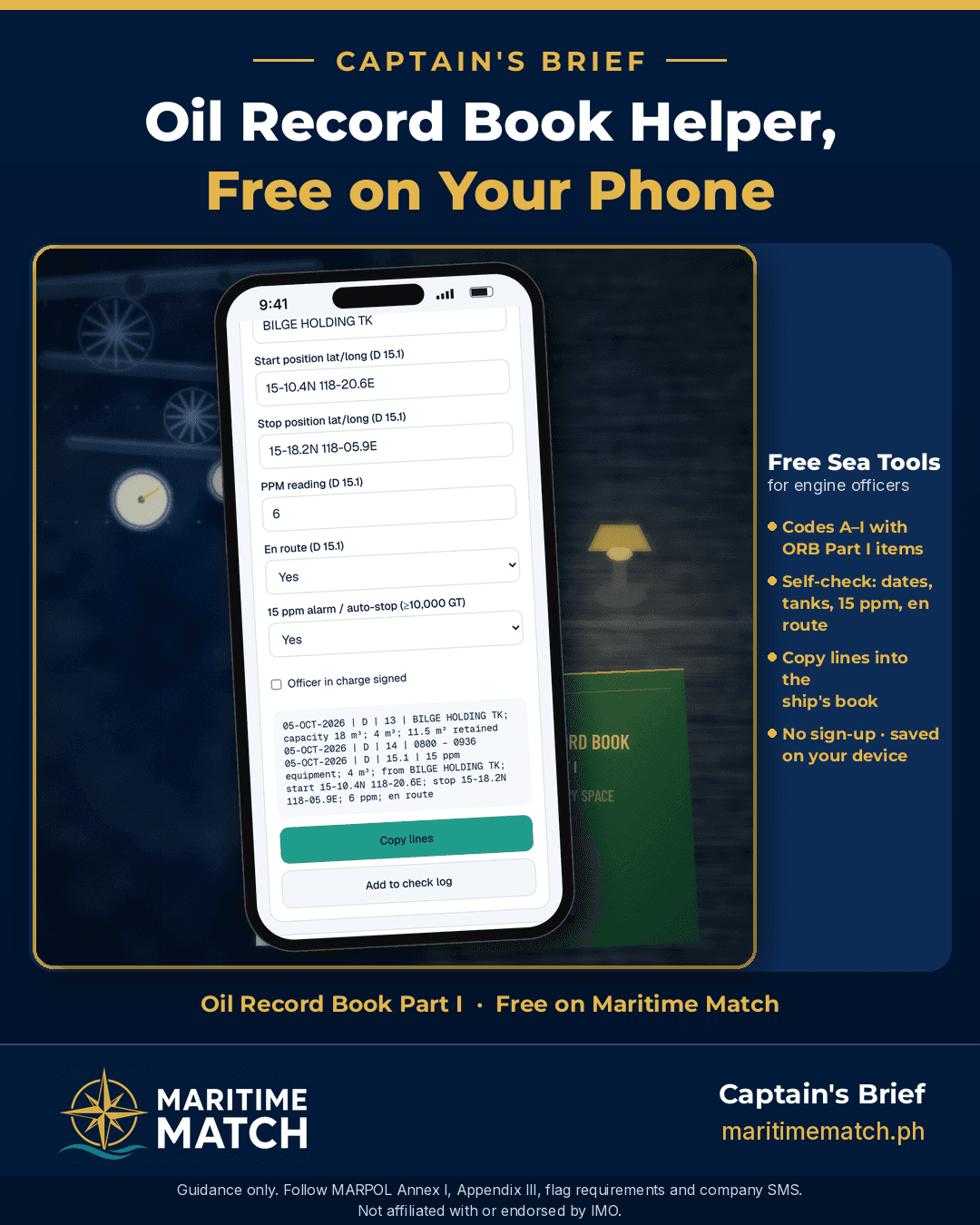
Free ORB Entry Helper: Draft and Self-Check Your Oil Record Book Part I Entries
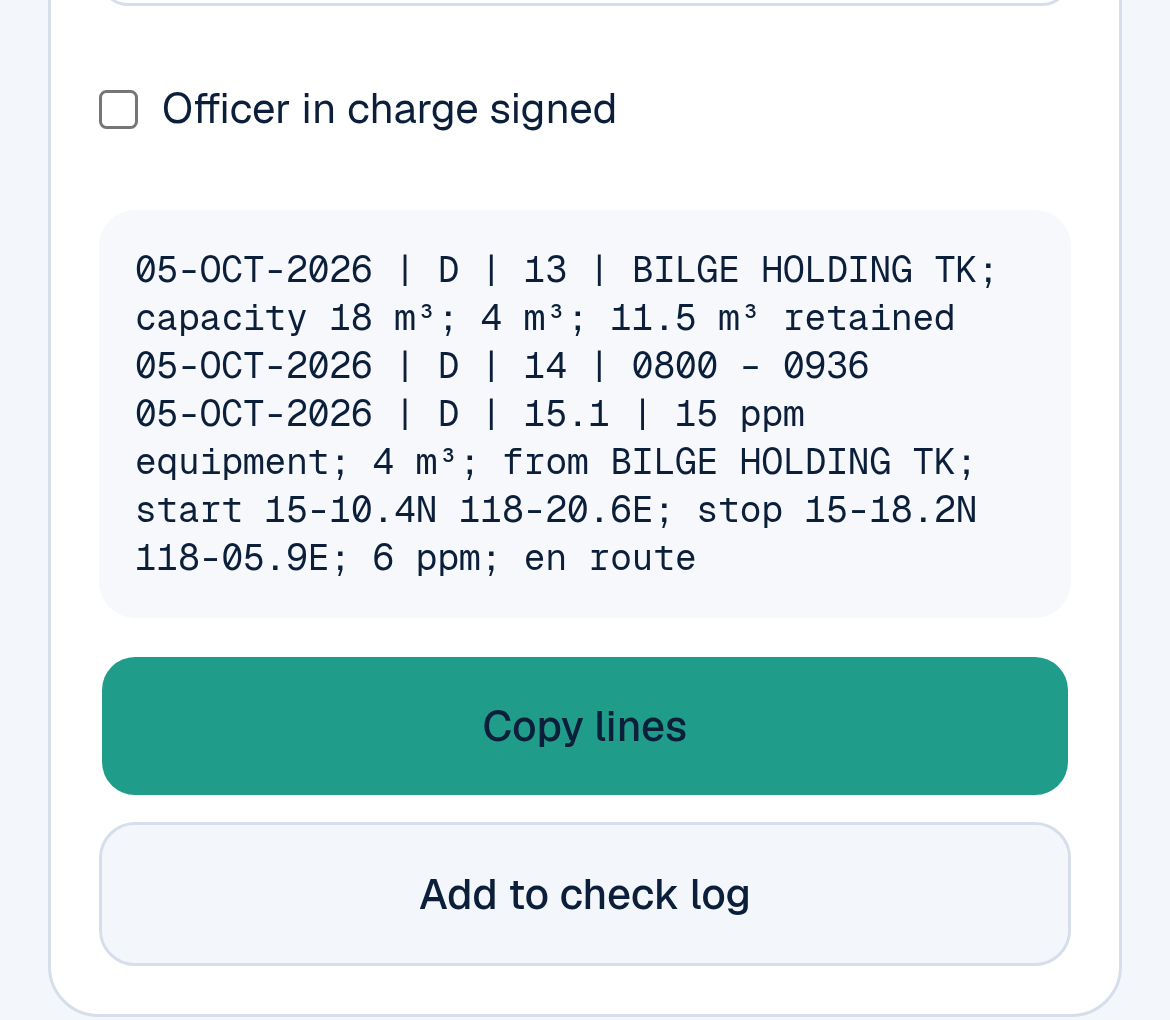
The ORB Entry Helper turns your figures into one line per item, ready to copy. These are example values.
You've just finished pumping the bilge holding tank through the separator. The log sheet is on the desk, the Oil Record Book is open, and now you have to put it into words. Is it code D or E? Item 15.1 or 15.3? Did you write the positions, the times, the tank name exactly as it is on the IOPP Certificate? And you're writing in ink, in a book that the port State control officer will read line by line.
Maritime Match now has a free ORB Entry Helper in Sea Tools. You type the operation, it drafts the lines for you, and a self-check flags the common slips before you copy anything into the ship's book.
Quick answer: The ORB Entry Helper is free at maritimematch.ph/sea-tools/orb-entry-helper, with no sign-up.
You pick the code letter (A to I) and the item numbers from the Oil Record Book Part I form in MARPOL Annex I, and fill in the date, tanks, quantities, times and positions. The helper drafts one line per item (date, code, item, record) that you can copy, then you write the entry into the ship's book by hand.
Its self-check flags common mistakes: wrong date format, entries out of order, tank names that don't match your IOPP list, missing item numbers, more than 15 ppm, not en route, a quantity too big for your separator's capacity, a missed weekly sludge entry, and more.
Your entries are saved on your device only. It is a drafting aid. It does not replace the Oil Record Book, your flag's rules or your company's procedures. The site says: "Guidance only. Follow MARPOL Annex I, Appendix III, flag requirements and company SMS."
Why I built the ORB Entry Helper
The Oil Record Book is one of the first things a PSC officer opens in the engine room, and small writing mistakes there turn into findings. Good ORB entries are consistent entries: the same code letters, the same item numbers and the same wording every time, whoever is on watch. I wanted every engineer to have a free, reliable way to draft the lines and check them before the ink goes on the page — without a sign-up or a fee.
Key terms, explained simply
Here are the words you'll meet in the tool, explained the way you'd explain them to a new engine cadet.
Oil Record Book (ORB) Part I. The record book every ship of 400 GT and above (and every oil tanker of 150 GT and above) must keep for machinery space operations with oil: sludge, bilge water, bunkering, oily water separator failures, accidental spills. The form and the list of items to record are in MARPOL Annex I, Appendix III. Each completed operation is signed by the officer in charge, and each completed page by the Master. The book stays on board and is kept for three years after the last entry. (Oil tankers also keep Part II for cargo and ballast operations. This tool is for Part I only.)
Code letters and item numbers. The ORB Part I form groups operations into sections with a code letter, and each detail you record has an item number. In the book you write the date, the code, the item number, then the details. The sections are:
- A: ballasting or cleaning of fuel oil tanks (items 1–4)
- B: discharge of dirty ballast or cleaning water from those tanks (items 5–10)
- C: collection, transfer and disposal of oil residues (sludge) (items 11–12)
- D: non-automatic discharge, transfer or disposal of bilge water (items 13–15)
- E: automatic discharge or transfer of bilge water (items 16–18)
- F: condition of the oil filtering equipment (items 19–21)
- G: accidental or other exceptional discharges of oil (items 22–25)
- H: bunkering of fuel or bulk lubricating oil (item 26)
- I: additional operational procedures and general remarks (no item numbers)
Sludge (oil residue). The oily waste left over in the engine room: from purifying fuel and lube oil, from leaks and drains, and from fuel oil drain tanks. It goes to the sludge tank(s) and can only leave the ship to a shore reception facility, an incinerator, or another approved method. Sludge must never be pumped overboard. You record the amount in your sludge tanks every week under code C, item 11.
Bilge water. Water mixed with oil that collects in the engine-room bilges, from leaks, condensation and cleaning. It's pumped to the bilge holding tank, then either landed ashore or, at sea, discharged through the oily water separator if it meets the rules. You record it under code D (or E if the system runs automatically).
Oily residues. The general name for oily waste on board that can't go overboard as it is: sludge, waste oil, used oil and the oily part separated from bilge water. On the ORB form, the word used for code C is "oil residues (sludge)".
IOPP Certificate and its Supplement. The International Oil Pollution Prevention Certificate shows the ship meets MARPOL Annex I. Its Supplement (Form A, or Form B for tankers) lists the ship's sludge tanks (item 3.1) and bilge water holding tanks (item 3.3), and the approved ways of disposing of sludge. IMO's guidance says to write tank names exactly as they appear in the IOPP Supplement.
15 ppm. Parts per million of oil in water. At sea, outside special areas, a ship may discharge bilge water from the machinery spaces only if, among other conditions, it is en route, the oil content without dilution is 15 ppm or less, and it goes through approved 15 ppm equipment. Ships of 10,000 GT and above must have a 15 ppm alarm that stops the discharge automatically when the limit is passed.
OWS (oily water separator). The "15 ppm bilge separator". It separates oil from bilge water and sends the oil to the sludge tank. It works together with an oil content meter that measures ppm and triggers the alarm and stopping device. Its rated capacity, in m³ per hour, is written on its certificate. The helper uses it to check that the quantity you discharged could really have passed through in the time you wrote.
ROB. "Remaining on board". In the ORB you often record how much is left in a tank after an operation.
PSC deficiency. When a port State control officer inspects your ship and finds something wrong, it's written up as a deficiency with an action, such as "rectify before departure". Serious ones can lead to detention. Oil Record Book problems are a regular PSC finding: missing weekly sludge entries, wrong code or item numbers, tank names that don't match the IOPP Supplement, or quantities that don't match the soundings.
How to use the ORB Entry Helper, step by step
Open maritimematch.ph/sea-tools and tap ORB Entry Helper. The page opens with example values so you can see how it works before you type anything. Everything you enter is saved on your phone as you go.
1. Set up your ship once
In Vessel setup, enter:
- your ship's gross tonnage (the helper uses it for the 10,000 GT alarm rule);
- your OWS rated capacity in m³/h;
- your IOPP tanks, one per line, typed exactly as in your IOPP Supplement (items 3.1 and 3.3);
- each tank's opening ROB and capacity in m³. The helper uses these to follow what's in each tank from one entry to the next.
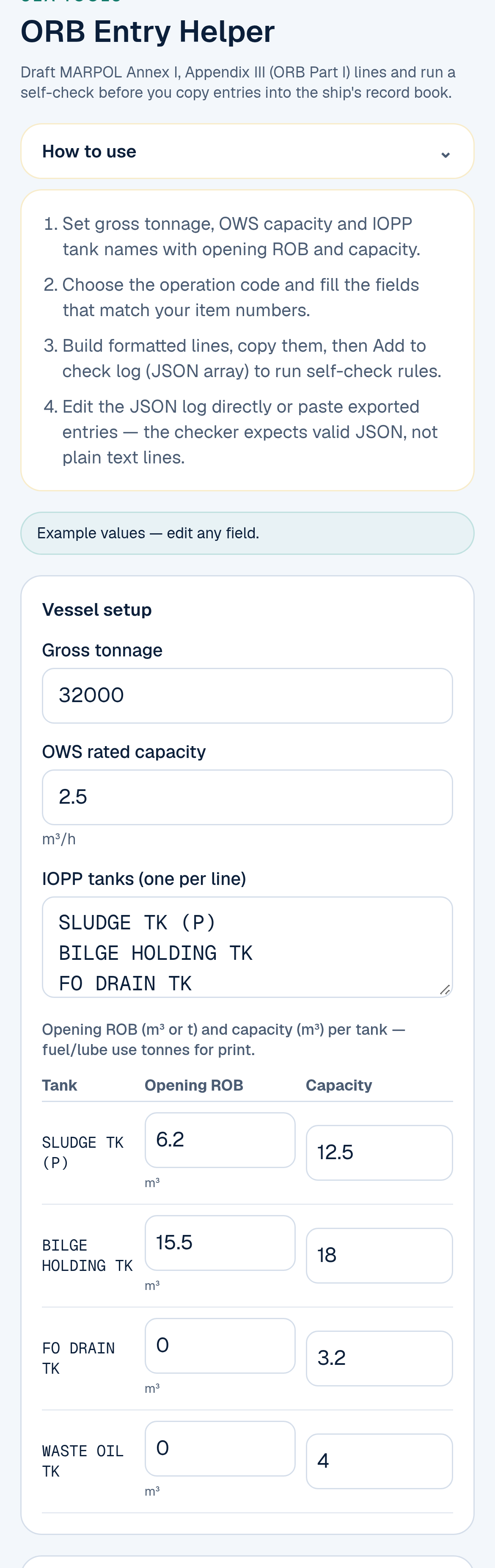
Vessel setup: do this once, with your own ship's tank names from the IOPP Supplement. These are example values.
2. Build the entry
In Entry builder:
- Type the date as DD-MON-YYYY, for example 05-OCT-2026. That is the format IMO's guidance asks for.
- Choose the code letter.
- Type the item numbers, separated by commas.
- Fill in the fields your operation needs. Each label tells you which item uses it, for example Source tank (D 15.1), Start time (D 14 / H 26.2) or Receipt number (C 12.1). Leave the others empty.
- Leave Officer in charge signed unticked until you will really sign the entry in the book (it starts unticked).
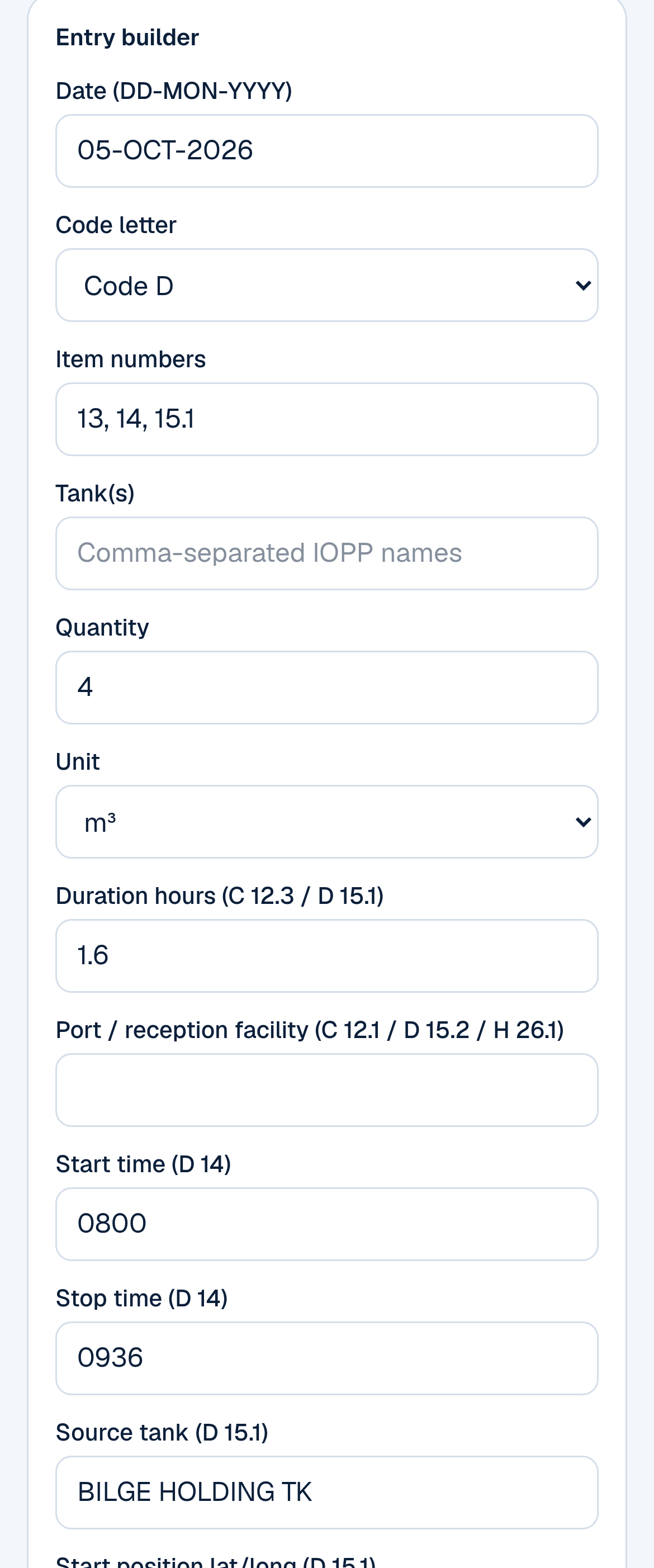
The Entry builder, filled in for EXAMPLE 2 below.
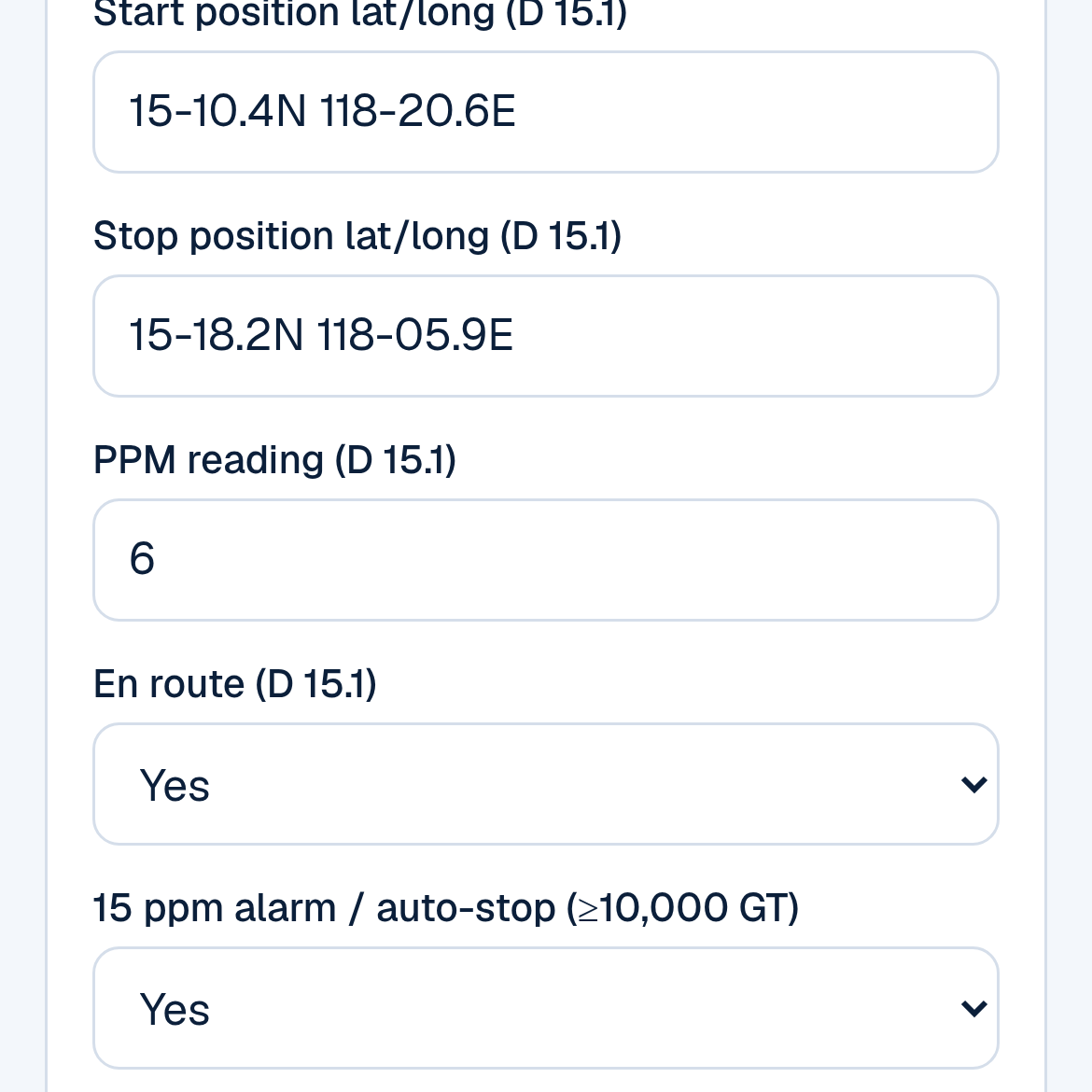
Positions, ppm, en route and the 15 ppm alarm, all needed for a discharge through the separator (example values).
3. Check the lines, then copy them
As you type, the helper shows the entry as one line per item: date | code | item | record. The four parts are the four columns of the ORB page. Tap Copy lines to copy them to your phone's clipboard, for example to paste into your own notes or send to the Chief Engineer for checking.
Then write the entry by hand into the ship's Oil Record Book, in the book's columns, and sign it.
4. Run the self-check
Tap Add to check log. The entry goes into the checker, which reads the whole log and lists anything that looks wrong, line by line. Red flags are errors, amber flags are warnings. If everything is fine, it says "No issues flagged for this log."
The log is kept in a box of text (JSON format) above the results. You can add several entries to check a week's work together, in date order.
5. Print a summary
Print summary gives a clean sheet with the formatted lines and blank lines for the officer in charge and the Master to sign and date. It's a handy draft to show the Chief Engineer before you write in the book. It is not the record book.
EXAMPLE 1: the weekly sludge entry (code C, item 11)
EXAMPLE FIGURES. Practice values from the helper's own setup (sludge tank 12.5 m³, 6.2 m³ on board). Not from a real ship. Use your own tank names from your IOPP Supplement.
Every week, even on a long voyage, you record what's in each sludge tank listed in item 3.1 of the IOPP Supplement. In the book it looks like this:
| Date | Code | Item | Record of operations / signature of officer in charge |
|---|---|---|---|
| 04-OCT-2026 | C | 11.1 | SLUDGE TK (P) |
| 11.2 | 12.5 m³ | ||
| 11.3 | 6.2 m³ retained | ||
| Signed: (officer in charge, name and rank) 04-OCT-2026 |
- 11.1 is the tank's name, 11.2 its capacity, 11.3 the total quantity retained.
- If you moved sludge into the tank by hand, for example by pumping out a separator drain tank, add 11.4 with the quantity and where it came from.
This is the example entry that opens in the helper's checker. The self-check passes it, because 6.2 m³ matches the tank's ROB. The helper drafts 11.2 as the tank capacity (12.5 m³) and 11.3 as 6.2 m³ retained.
EXAMPLE 2: bilge water through the separator (code D, items 13, 14, 15.1)
EXAMPLE FIGURES. A 32,000 GT ship with a 2.5 m³/h separator pumps 4 m³ from the bilge holding tank overboard through the 15 ppm equipment, at sea west of Luzon, outside any special area. Practice values only.
What you type in the builder:
| Field | Example |
|---|---|
| Date · Code · Items | 05-OCT-2026 · D · 13, 14, 15.1 |
| Quantity · Source tank | 4 m³ · BILGE HOLDING TK |
| Start · Stop · Duration | 0800 · 0936 · 1.6 h |
| Start position · Stop position | 15-10.4N 118-20.6E · 15-18.2N 118-05.9E |
| PPM · En route · 15 ppm alarm | 6 · Yes · Yes |
What the helper drafts:
- 05-OCT-2026 | D | 13 | BILGE HOLDING TK; capacity 18 m³; 4 m³; 11.5 m³ retained
- 05-OCT-2026 | D | 14 | 0800 – 0936
- 05-OCT-2026 | D | 15.1 | 15 ppm equipment; 4 m³; from BILGE HOLDING TK; start 15-10.4N 118-20.6E; stop 15-18.2N 118-05.9E; 6 ppm; en route
And the self-check: "No issues flagged for this log." The rate check works like this: 2.5 m³/h × 1.6 h = 4.0 m³, so 4 m³ could really pass through the separator in that time.
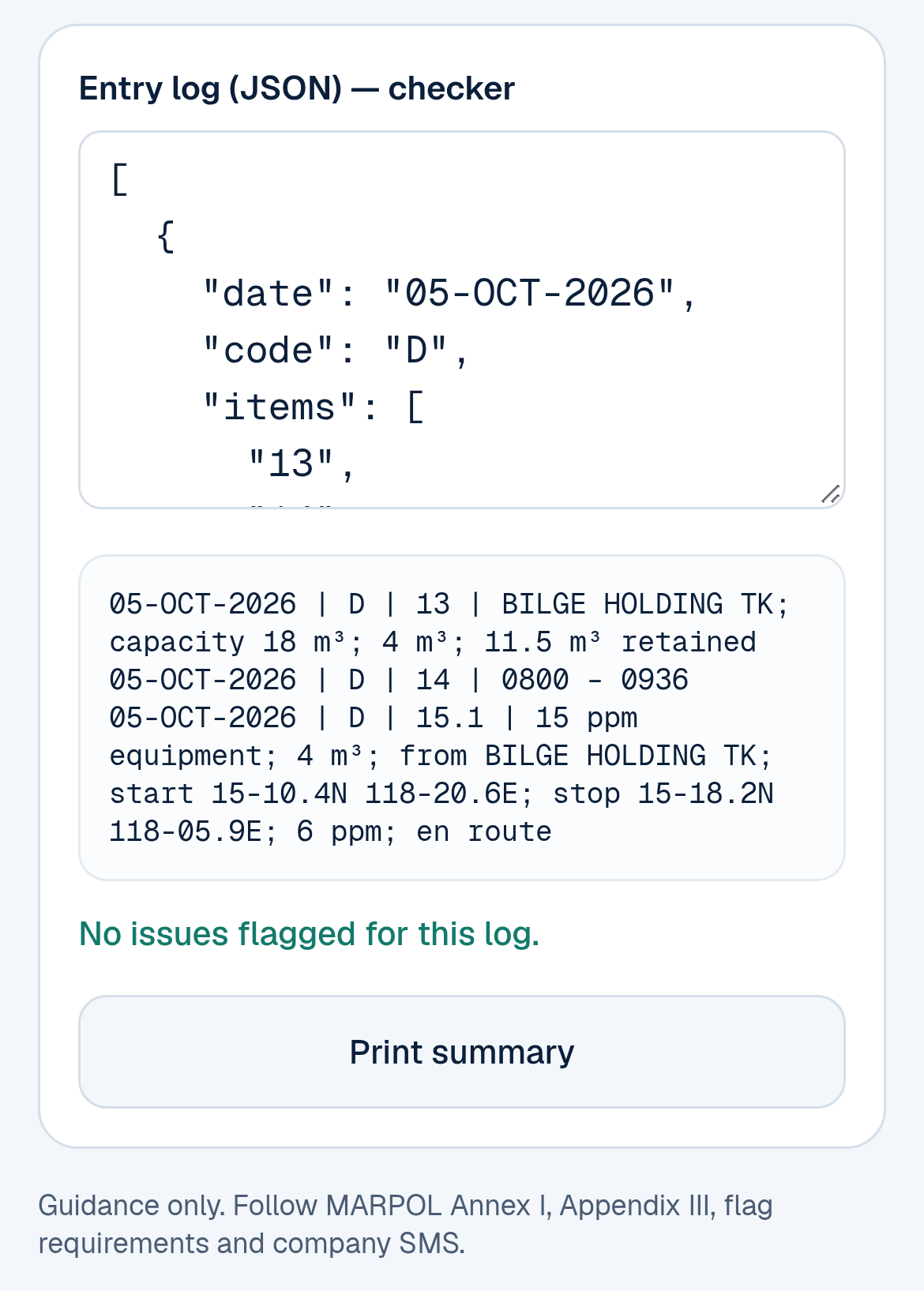
The self-check passes EXAMPLE 2 (example values).
How it goes into the book. IMO's guidance (MEPC.1/Circ.736/Rev.2, Example 12) writes this operation as three item lines — and the helper now follows that layout:
- 13: which tank it came from, the holding tank's capacity, the quantity pumped and what's left in it: here 18 m³ capacity and 11.5 m³ retained (15.5 − 4.0).
- 14: start and stop times.
- 15.1: through 15 ppm equipment overboard, with the position at start and at stop.
(If you transfer bilge water to another tank, use 15.3 instead of 15.1; to a reception facility, 15.2. The guidance does not write a separate bare "15" line.)
Then the officer in charge signs and dates.
Now see the self-check catch mistakes. Change the quantity to 6 m³ and leave the stop position empty, then add it to the log. The checker flags:
- E18: a discharge through the 15 ppm equipment needs the position at start and stop.
- W19: 6 m³ in 1.6 h is more than a 2.5 m³/h separator can pass. Either the quantity or the times are wrong. That's exactly the kind of mismatch an inspector looks for.
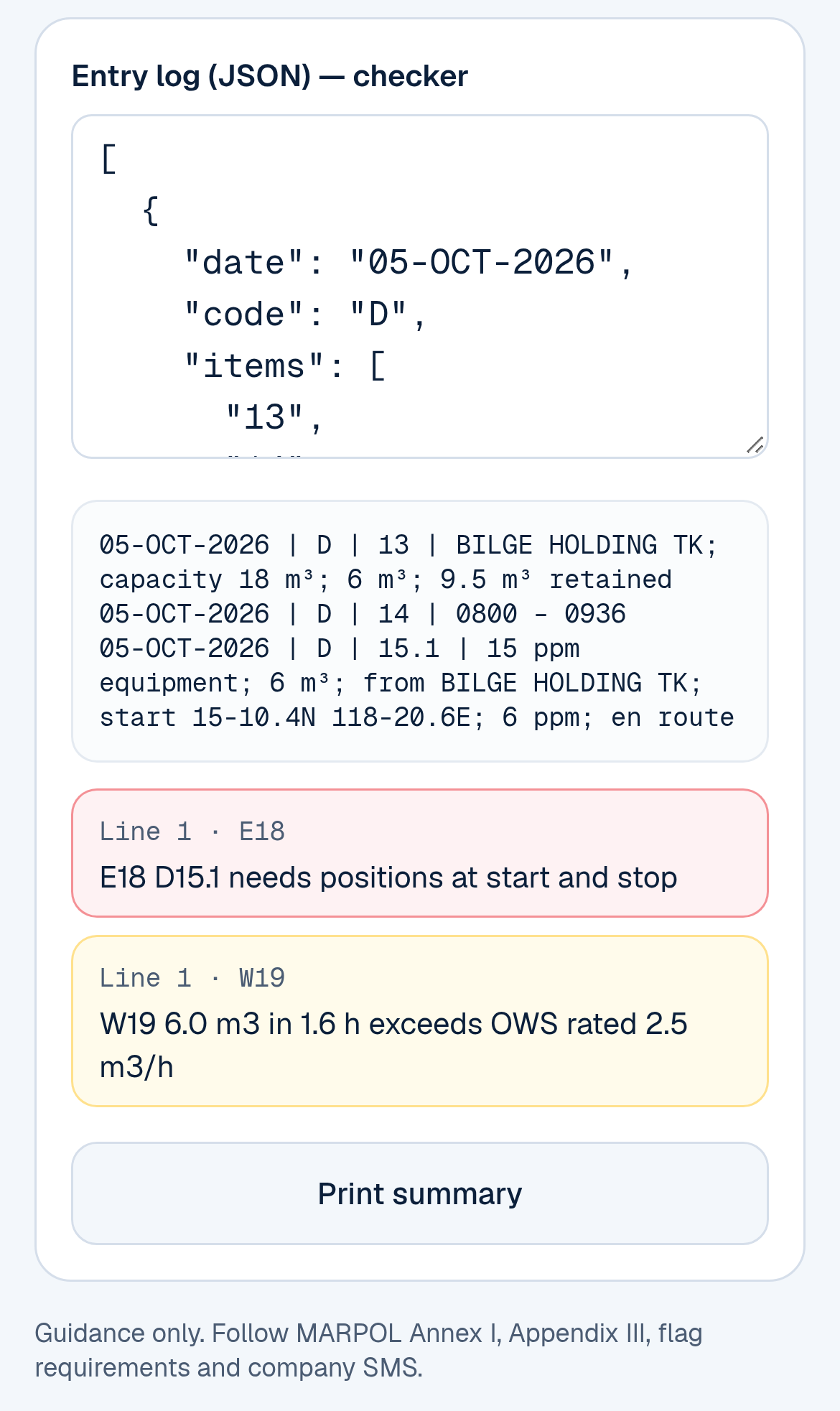
The self-check flags the missing stop position and an impossible pumping rate (example values).
What the self-check looks for
The checker reads your whole log in order and flags:
- Date format: DD-MON-YYYY, and a real calendar date (31-FEB-2026 is caught).
- Order: entries in the order they happened.
- Code and item numbers: a valid code letter, and items that belong to that code.
- Missing items: for example 13, 14 and one of 15.1 / 15.2 / 15.3 under code D, or 22 to 25 for an accidental discharge.
- Tank names: each tank must match a name in your IOPP tank list, letter for letter.
- Units: m³ for codes A to G; a warning if bunkers aren't in tonnes.
- Weekly sludge: a warning if more than 7 days pass between weekly C 11 entries in your log.
- Sludge tank ROB: item 11.3 must match what the helper has tracked for that tank, starting from your opening ROB, adding 11.4 and taking away disposals and discharges.
- Discharges through the separator (15.1): sludge must never go overboard; no more than 15 ppm; the ship must be en route; ships of 10,000 GT and above need the 15 ppm alarm and auto-stop; positions at start and stop; a quantity your separator could really pass in the time given; and no discharge while a code F equipment failure is still open.
- Other entries: hours for incineration (C 12.3), the port and a receipt number for sludge landed ashore (C 12.1), a tank going over its capacity, a reminder to report an accidental discharge, and the officer's signature.
It doesn't check special areas, distance from land, or whether your figures match the actual soundings. That is still your job.
Where your entries are saved
Everything you type, including the vessel setup and the check log, is saved in your phone's browser, on that device only. Close the page and come back, and it's still there. Nothing is sent to an account, so there's no sign-up. It also means another phone, or another browser on the same phone, won't see it. Use Copy lines or Print summary if you want to keep a copy.
What this tool is, and what it is not
The ORB Entry Helper is a drafting and self-check aid. Please keep these in mind:
- The page says: "Guidance only. Follow MARPOL Annex I, Appendix III, flag requirements and company SMS."
- It does not replace the Oil Record Book. The official record is the ship's book, written and signed by the officer in charge and signed by the Master on each page.
- It is not approved by IMO, any flag State, class or port State control. A clean self-check does not mean an inspector will find nothing.
- What it drafts is only as good as what you type. Use your ship's own tank names, capacities, soundings and times, and check every line before you write it down.
- If the helper and your company's instructions or the Chief Engineer disagree, follow your company and your Chief Engineer.
- Made a wrong entry in the book? IMO's guidance says: strike it through with a single line so it can still be read, sign and date it, then write the correct entry after it.
The other free Sea Tools
At maritimematch.ph/sea-tools you'll also find:
- Sea Calculator: shipboard calculators including ETA & distance, gyro & compass error, bunker & fuel, draft survey, currency, true wind, unit converter, and FWA & DWA.
- Grain Stability Check: a worksheet-style check against the IMO Grain Code Part A §7 criteria, using your booklet data.
- MedDeck: a practical medical reference for seafarers.
- Cook Hub: smart menu planning for the galley.
All are free for seafarers.
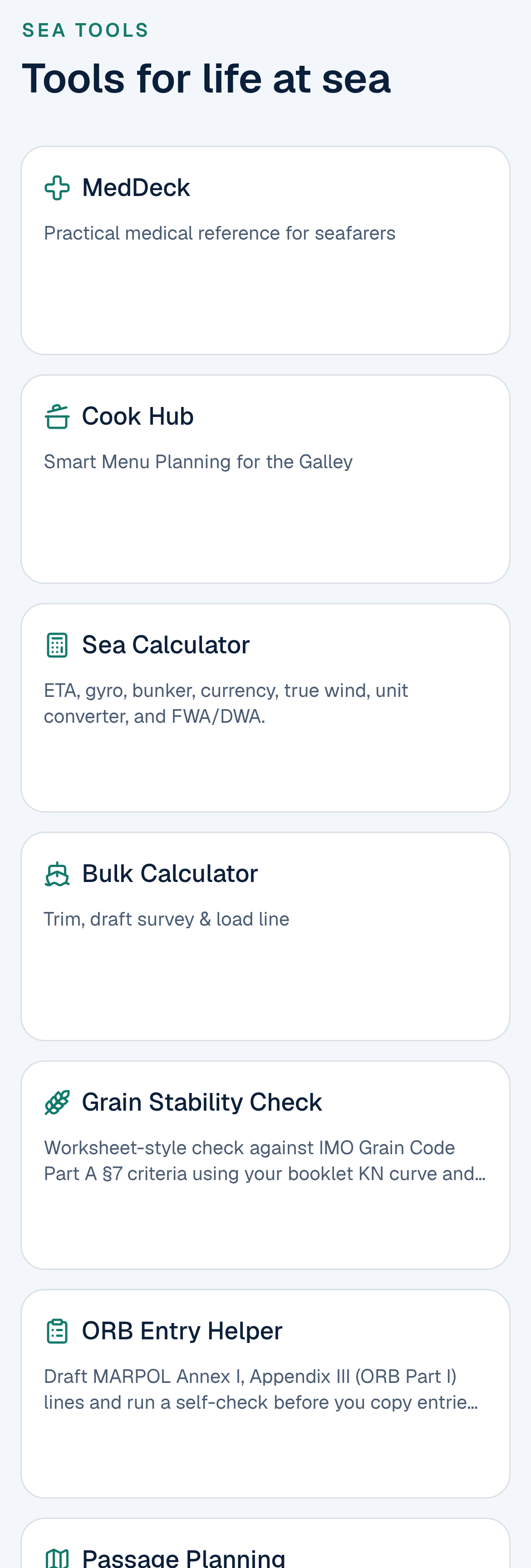
The Sea Tools page: the ORB Entry Helper is the fifth tile.
Frequently asked questions
Is the ORB Entry Helper free? Yes. It's free, with no sign-up and no payment.
Do I need an account? No. Everything works without logging in. Your entries stay on your own device.
Can I keep my Oil Record Book in this tool instead of the book? No. The helper drafts the wording and checks it. The legal record is still the ship's Oil Record Book (or an electronic record book accepted by your flag Administration), written and signed on board.
Is it approved by IMO, my flag or PSC? No. It uses the code letters and item numbers of the ORB Part I form in MARPOL Annex I, and follows the layout of IMO's guidance, MEPC.1/Circ.736/Rev.2. Always follow your flag's requirements and your company SMS.
Which operations does it cover? All nine sections of ORB Part I, codes A to I: fuel tank ballasting and cleaning, sludge, bilge water, separator failures, accidental discharges, bunkering and general remarks. The drafted wording is most detailed for code C (sludge), code D (bilge water) and code H (bunkering).
Does it cover Oil Record Book Part II for tankers? No. Part II (cargo and ballast operations on oil tankers) isn't included.
Where do I find the right tank names? In the Supplement to your IOPP Certificate: item 3.1 lists the sludge tanks and item 3.3 the bilge water holding tanks. Copy them exactly, including any "(P)" or "(S)".
How often do I record the sludge tanks? Once a week (code C, item 11), even if the voyage is longer than a week. The helper warns you if there's a gap of more than 7 days in your log.
Why does it ask for my ship's gross tonnage and separator capacity? Ships of 10,000 GT and above must have a 15 ppm alarm that stops the discharge automatically, so the helper checks that. The separator's capacity lets it check that the quantity you discharged fits the time you pumped.
What date format should I use? DD-MON-YYYY, for example 05-OCT-2026. That's the format in IMO's guidance, and the helper checks it.
Does it work on my phone? Yes. The page is built for a phone screen and works in your normal browser.
Is Maritime Match a manning agency? No. Maritime Match is a portal only, and seafarers never pay fees.
Try it before your next ORB entry
Open maritimematch.ph/sea-tools/orb-entry-helper. Enter your ship's tank names once, then draft your next weekly sludge entry and run the self-check before you pick up the pen.
For background: the code letters and item numbers come from the Oil Record Book Part I form in MARPOL Annex I, Appendix III (as amended by resolution MEPC.187(59), in force 1 January 2011). The recording examples come from IMO's MEPC.1/Circ.736/Rev.2, Guidance for the recording of operations in the Oil Record Book Part I – Machinery space operations (all ships), 6 October 2011. Maritime Match is not affiliated with or endorsed by IMO.